
Wittario Play in web now has a Read aloud button. Learners can listen to tasks and content instead of reading themselves. It uses the activity's language, or the learner's own language if none is set.
Wittario Play in the browser now includes a Read aloud button. With one tap, learners can have tasks, instructions, and other text content read out loud. This makes activities easier to follow for children, language learners, and anyone who prefers listening over reading.
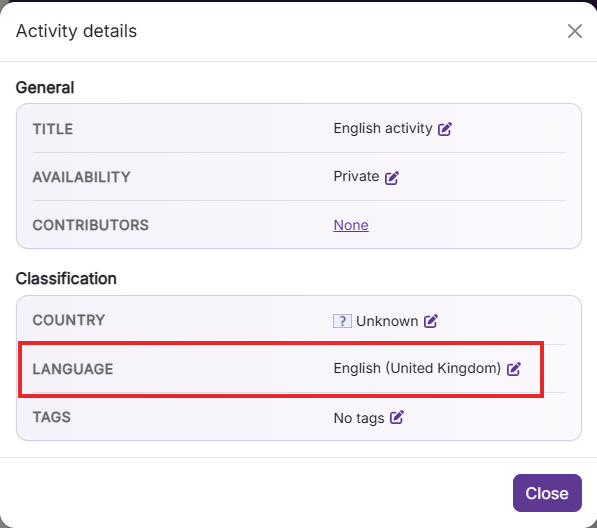
Read aloud uses the language set on the activity. If the activity has no defined language, the learner's own language is used instead.
Set the activity's language in Activity details before publishing. This ensures Read aloud uses the right language for your learners.

Can't find answers to what you ar looking for, or have something to tell us?
Contact us and we will get back to you!
Our opening hours are Monday through Friday 08:00 to 16:00 (CET)