

Create a certificate in your organisation's own style, with your logo, colours, own heading and background image. You tailor it right on the certificate in a few minutes, and participants can share it in one tap.
The certificate is often what participants take away from a course. Now it can carry your organisation's logo and colours, a heading you choose and a background image that suits the course. The result is a certificate that is recognisably yours, and one participants are happy to show off.
You change the certificate directly, exactly as participants will see it:
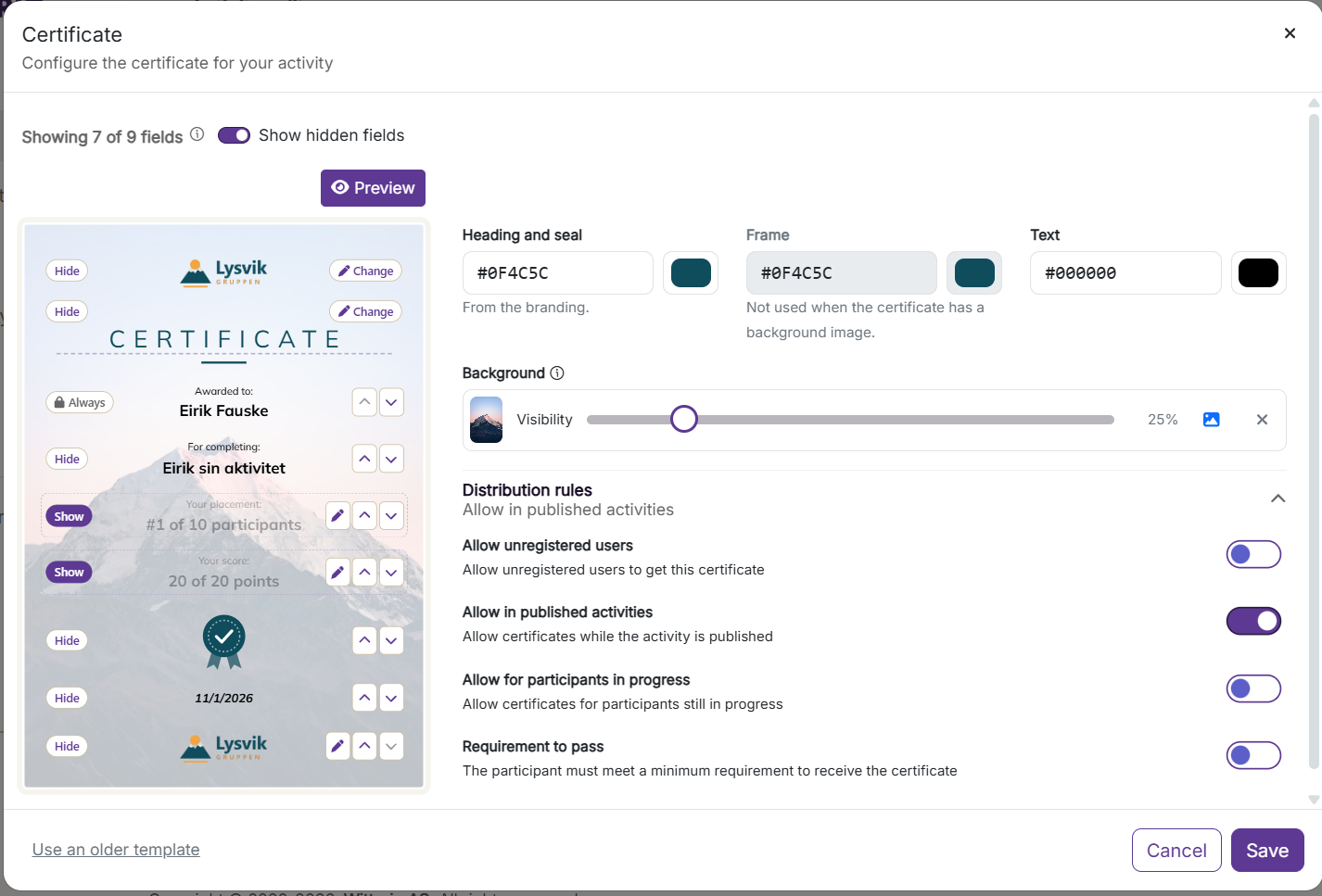
There is nothing you need to do. Activities with one of the old templates give the same certificate as before. Moving to the new format takes a moment, also on activities that are already published:
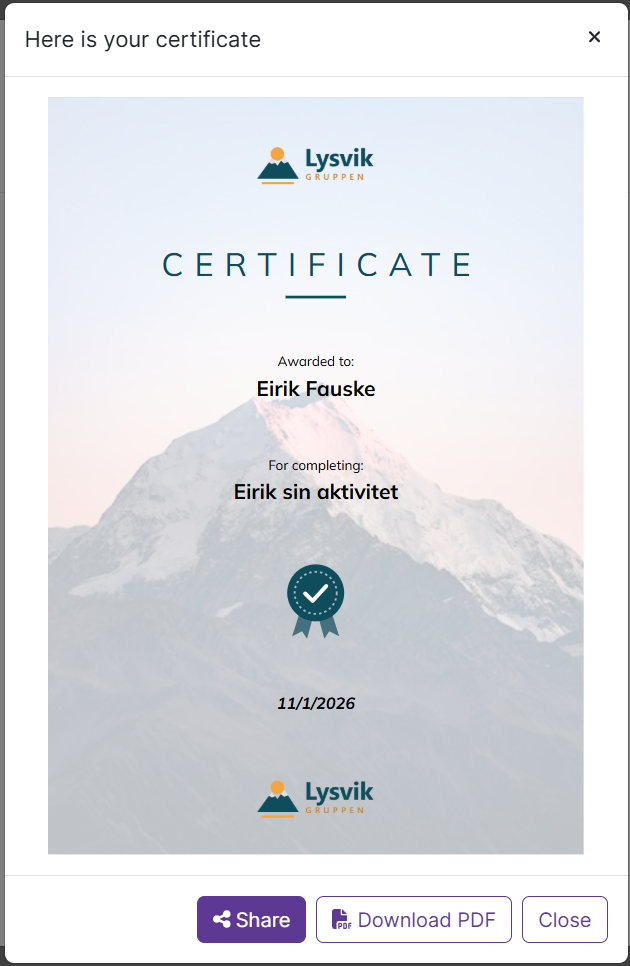
Participants can show what they have achieved. They select Show certificate in History or on the results page in Play, and can share it with their device's own share feature, for example by email, in Teams or on social media. As an instructor, you find the same button next to each participant who has earned a certificate, so it is easy to pass it on to the participant or a manager. The certificate can also be downloaded as a PDF.

Can't find answers to what you ar looking for, or have something to tell us?
Contact us and we will get back to you!
Our opening hours are Monday through Friday 08:00 to 16:00 (CET)